Download Storeveu.
Free with every plan. Install, sign in with your Storeveu account, and you are ringing up sales. Book a demo if you do not have an account yet.
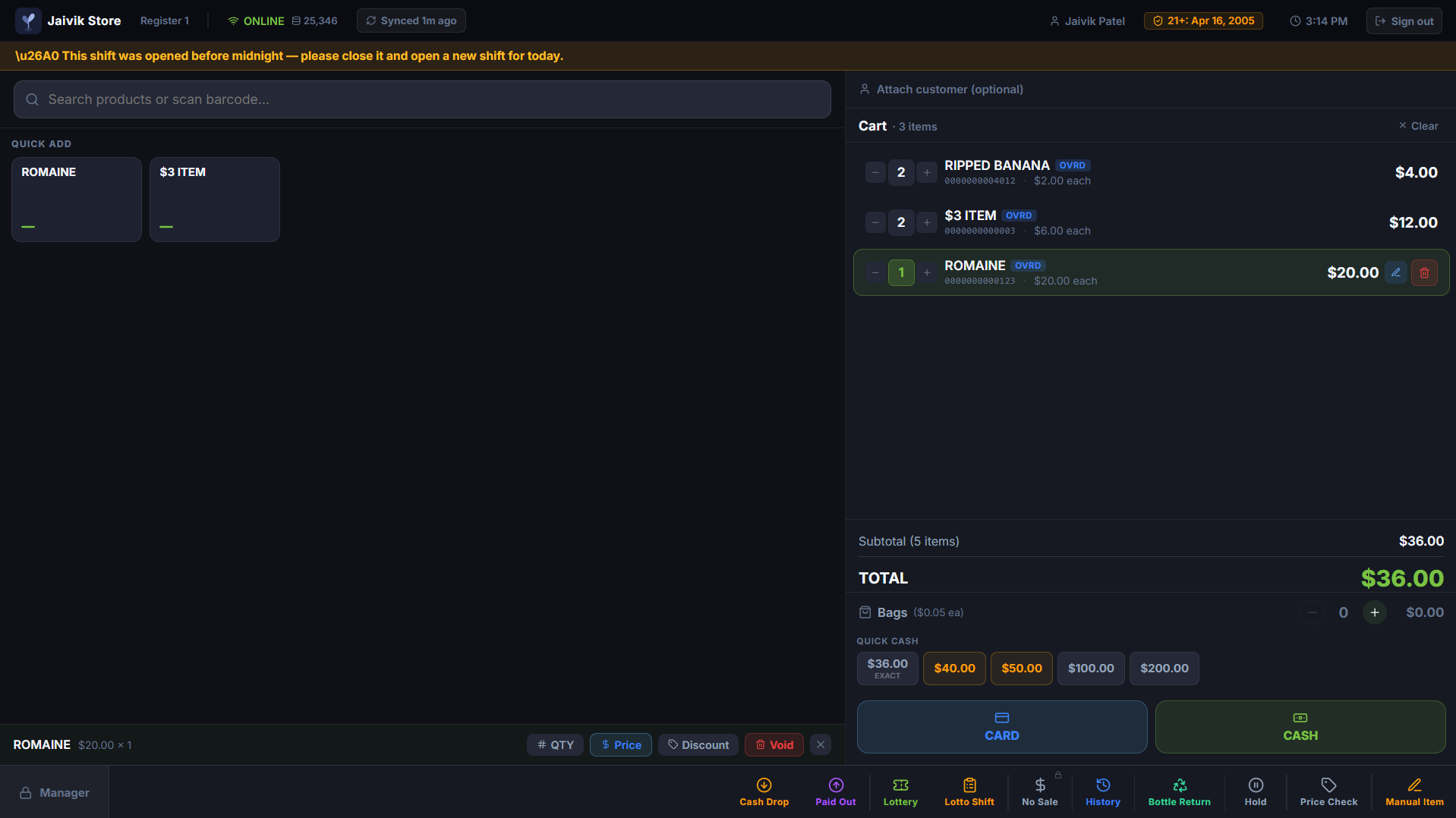
Download the Storeveu apps
Cashier App
The register. Windows PC or POS terminal.Windows 10/11 64-bit · 4 GB RAM · 500 MB · works offline after first sync
Vendor Dashboard
Back office on your phone. Owners and managers.iPhone has no App Store build: open dashboard.storeveu.com in Safari, then Share → Add to Home Screen.
Remote Support
One-click tool so our team can help live.Windows 10/11 · no account needed · remove anytime from Add/Remove Programs
System requirements
Runs on the POS hardware you already have.
Windows 10 or newer (64-bit)
4 GB RAM minimum, 500 MB disk space
Internet for initial setup
Runs offline after first sync, transactions queue and upload automatically
Touchscreen or mouse + keyboard
Designed for 1366x768 POS terminals up to 4K desktops
What's in the app
Full POS functionality, no browser required once installed.
Fast checkout
IndexedDB-cached catalog means scans resolve in < 50 ms even offline.
Compliance built-in
Age verification, EBT/SNAP rules, bottle deposits, and lottery flows handled automatically.
Version history
The installed app auto-updates on its own, so you rarely need this list.Stable is the build we recommend and the one the Windows button gives you. Latest is the newest release and what auto-update installs. Older builds stay downloadable here.
Install questions
Does the Storeveu register need an internet connection?
Only for the first sign-in and sync. After that the register runs offline: scanning, ringing, tendering cash and printing receipts all keep working with no connection, and queued transactions upload automatically once you are back online.
What does the Storeveu POS cost to download?
The desktop app is free and included with every plan. You are billed per store on your subscription, not per install, so adding a second register at the same store costs nothing extra on plans that include it.
What do I need to run it?
Windows 10 or newer, 64-bit, with 4 GB of RAM and about 500 MB of disk. It is built for touchscreen POS terminals from 1366 by 768 upward, and works with a mouse and keyboard on any desktop.
Does it update itself?
Yes. The installer includes an auto-updater that pulls each new build in the background and applies it on the next restart. Updates are free and you do not need to re-download from this page.
Is there a Mac version?
Not currently. The register is Windows only. The back office is a web app that runs in any browser on macOS, and the manager app is available for Android.
Can I use my existing scanner, printer and cash drawer?
In most cases yes. The app supports USB and network receipt printers, cash drawers triggered through the printer, and standard barcode scanners. Payment terminals are the exception because they are tied to a processor, so check those with us before you switch.