CAS scale integration Early access
Your CAS scale, in step with your register
Change a price once in Storeveu and it reaches the deli scale on its own, usually within seconds. The label the scale prints and the price the register charges stay the same.

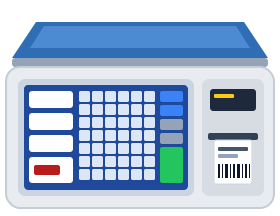
One price change, start to finish
Follow a real change from the back office to the printed label. The register holds a connection open to Storeveu, so the store opens no ports, and every write is read back from the scale.
Follow one price change from the back office through the cloud, the store network and the register to the scale, then back as a confirmation.
What stays in sync
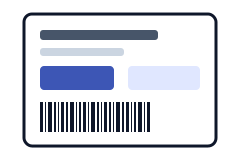
Prices
The regular register price reaches every linked PLU when it changes, whether it came from the back office, an import or a vendor invoice.

New items and removals
Give a scale a profile and Storeveu creates, updates and removes the items of the departments that counter holds.
Item details
Name, sold by weight or each, tare, sell-by days and ingredients all come from the product in Storeveu.
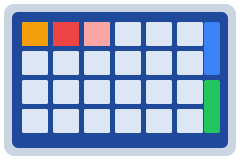
Touchscreen keys
One key per department on the home screen and its items behind it, best sellers first or A to Z. You choose this per profile.
Confirmed on the scale
Every write is read back from the scale. The Scales page shows what landed, what is waiting and what needs a look.
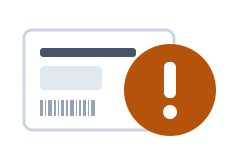
Big mistakes held back
A price about ten times away from what the scale holds waits for a person to check it, instead of printing on the next label.
What Storeveu leaves alone
The scale keeps what belongs at the scale. Storeveu only manages what you ask it to.
- Open Price items
- Their price is set at the scale on purpose, so Storeveu never sends one.
- Sale prices and deals
- The scale gets the regular price. The register applies deals at checkout, so nothing is discounted twice.
- Nutrition facts
- They stay on the scale, exactly as your team entered them.
- Label design and pictures
- These stay in CL-Works Pro, the software from CAS. Storeveu picks which label format an item uses.
- Items you made at the scale
- If you link one to a product, only its price changes. Everything else stays yours.
Set up in seven steps
Your scale dealer handles the network side. The rest happens in the Storeveu back office.
The seven steps from switching on Grocery and Scale to checking the first printed label, and who does each one.
What you need
- A CAS CL-7200 label scale on your store network, with a fixed IP address
- The Storeveu desktop register on the same network, open while the deli is open
- Grocery and Scale features turned on for the store
- Your scale dealer, for the network setup and any label formats
After setup, it looks after itself
Most changes need nobody. A few need a person, and if a cable drops the job waits and catches up instead of being lost.
What updates on its own, what a person does, and what happens when a cable drops: the job waits, retries and catches up.
Good to know
Which CAS scales work with Storeveu?
Storeveu works with the CAS CL-7200 label scale on your store network today. Ask us about other CL models.
Is it available now?
We are rolling it out with early stores. Book a demo and we will set it up with you and your scale dealer.
Do I need to open ports on my router?
No. The register calls out to Storeveu over an encrypted connection, and it talks to the scale on your own store network.
Does a register have to stay on?
Yes. One Storeveu desktop register drives the scale, so keep the app open while the deli is open. It keeps working at the PIN screen, and it catches up if it was off.
Will it overwrite what is already on my scale?
Without a profile, Storeveu only sends prices to the PLUs you link to a product. Open Price items are never changed, and it only removes items it created.
Do sale prices go to the scale?
No. The scale gets the regular price and the register applies deals at checkout, so a discount is never applied twice.
Can the keys show product pictures?
Yes. Pictures load onto the scale with CL-Works Pro and show on the item keys Storeveu arranges.
What happens if the network drops?
The job waits and a price update retries after 1, 5, 15 and 60 minutes. When the link is back, the scale catches up.
See it on a real scale
We will show a price change landing on a printed label, and plan the setup with your dealer.
CAS, CL-7200 and CL-Works Pro are product names of CAS Corporation, used here to describe compatibility. Prices shown are examples.