Run the team, not just the register
Build schedules, track availability and coverage, assign tasks, and keep everyone in sync with built-in chat, clock-in to close, all in one place.
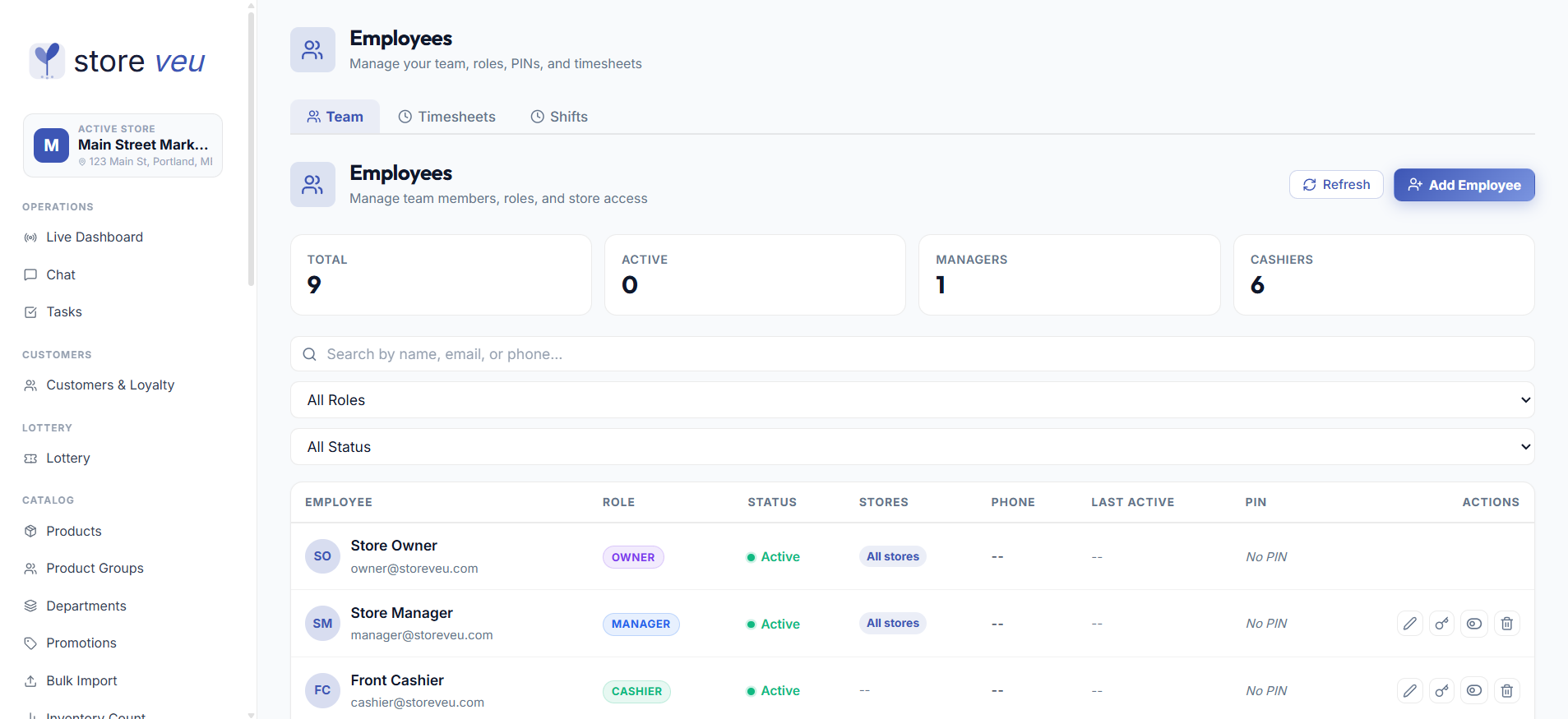
Shift scheduling
Build schedules from reusable templates, with a week view and exceptions for time off.
Availability & coverage
Capture staff availability and see coverage gaps before they become a short shift.
PIN clock-in / out
Cashiers clock in with a PIN; hours flow straight into timesheets and reports.
Tasks & checklists
Assign opening, closing and one-off tasks and track completion across the team.
Team chat
Keep store communication in-app instead of a group text nobody reads.
Per-store staff
Manage staff per location with roles that scope what each person can do.

The week is built from templates, the team clocks in with a PIN, and the timesheet writes itself.
- Templatesbuild a week in minutes
- PIN clock-inhours into timesheets
- Tasks + chatthe team in sync
Built for how stores actually run it.
Shift scheduling
Build schedules from reusable templates, with a week view and exceptions for time off.
Availability & coverage
Capture staff availability and see coverage gaps before they become a short shift.
PIN clock-in / out
Cashiers clock in with a PIN; hours flow straight into timesheets and reports.
Tasks & checklists
Assign opening, closing and one-off tasks and track completion across the team.
Team chat
Keep store communication in-app instead of a group text nobody reads.
Per-store staff
Manage staff per location with roles that scope what each person can do.
Good to know
Can I build recurring schedules?
Yes, schedule from reusable shift templates with a week-grouped view, availability capture and exceptions for time off.
How do employees clock in?
Cashiers clock in and out with a PIN at the register; hours flow into timesheets and employee reports for payroll.
Is there team messaging?
Built-in chat and task assignments keep store communication and checklists in one place instead of scattered texts.
Common questions about Storeveu
How much does Storeveu cost?
Two plans, priced per store and billed month-to-month with no contract or early-termination fee. Starter includes the register, the back office, lottery, fuel, loyalty, marketplace integration and the AI assistant, with paid add-ons for the rest; Pro includes every add-on. Current prices are always on the pricing page.
Does Storeveu work offline?
Yes. The register is offline-first, it keeps ringing sales with no internet and syncs automatically the moment the connection returns, so a dropped router never stops checkout.
Is there a long-term contract?
No. Storeveu is month-to-month per store with no long-term contract and no early-termination fee, change tiers or cancel a store anytime.
Do I need special hardware?
No. Storeveu runs on standard Windows PCs with common receipt printers, cash drawers and PAX/Dejavoo terminals, bring your own, or buy the E15W dual-screen terminal.
How long does it take to switch from my current POS?
Most stores go live in 1-3 weeks. The team imports your catalog and customer list from systems like Square, Clover, Lightspeed or Heartland, usually overnight.
Can I manage multiple stores?
Yes. Run multiple locations from one back office with per-store pricing and inventory, plus a five-tier role hierarchy and custom roles.
Is my store data private and secure?
Every record is scoped to your organization and store, access is permission-gated by role, and one tenant can never see another’s data.
How do I get a demo?
Book a free 15-20 minute guided demo on a fully-loaded store, no contract, no pressure. Use the contact page to pick a time, or call the sales line.
See scheduling, tasks & team running on a live store.
A 20-minute guided walkthrough on a fully-loaded demo store. No contract, no pressure.